
If you have watched a music lyric video, a film title sequence, or even a well-made social media ad, you have seen kinetic typography — text that moves, animates, and behaves like a living visual element rather than a static block of words. But what is kinetic typography exactly, and why has it become one of the most powerful tools in motion design?
At Genesis Motion Design, typography is a core creative discipline. Whether it is a broadcast package for an esports league, a brand film for a Fortune 500 kinetic typography company.company, or a product explainer for a tech startup, the way text enters, exits, and behaves on screen can make the difference between a forgettable sequence and one the audience remembers.
This guide breaks down what kinetic typography is, the different types, where you see it in the wild, how it is created, and when it is the right choice for your project.
Kinetic typography is the technical name for moving text. The term comes from “kinesis,” the Greek word for motion, and “typography,” the art of arranging type. In practice, it means animating letters, words, and phrases so that they do more than sit on a screen — they slide, scale, rotate, blur, morph, bounce, and breathe.
The difference between kinetic typography and simply placing text over video is intent. In kinetic typography, the motion of the type carries meaning. A word that shakes might convey urgency. A phrase that slowly fades in might feel meditative. Text that bursts apart and reassembles might signify disruption. The motion is the message.
Kinetic typography sits at the intersection of graphic design, animation, and filmmaking. It borrows timing principles from video editing, spacing rules from traditional typography, and motion fundamentals from classical animation. The best kinetic typography feels inevitable — as if the words could not possibly have moved any other way — because the designer has aligned the motion with the meaning at every frame.
Moving text is not new. It predates digital tools by decades.
The earliest widely recognised example of kinetic typography in film is Saul Bass’s title sequence for Alfred Hitchcock’s “North by Northwest” (1959). Bass treated text as a graphic element that entered and exited the frame with timing and weight, setting a standard that title designers still reference today. His later work — “Psycho,” “Vertigo,” “Cape Fear” — cemented kinetic typography as a narrative tool, not just a credit roll.
In the 1990s, music videos pushed the form further. The rise of MTV and desktop editing tools like After Effects put motion typography in the hands of independent designers. By the 2000s, kinetic typography had become a recognisable genre — lyric videos, brand anthems, and explainers built entirely around animated text.
Today, kinetic typography is everywhere. It appears in smartphone UI transitions, social media stories, esports broadcast packages, corporate presentations, and the title sequences of every major streaming series. It has moved from niche technique to universal visual language.
Not all moving text is the same. Professional motion designers categorise kinetic typography into three broad types, each suited to different creative goals.
1. Simple Motion Typography
This is the most common and accessible form. Text enters the frame with basic movements — fades, slides, scale-ups — and exits the same way. The motion reinforces the message without drawing attention to itself.
Simple motion typography appears heavily in corporate explainer videos, internal presentations, and social media ads. It is fast to produce and highly legible. The challenge is making it feel deliberate rather than default. Even simple motion needs considered timing, easing curves, and a relationship to the voiceover or music track.
2. Fluid and Textured Typography
This category pushes beyond clean vector text into material realism. Think of letters that appear to be written in ink, drawn in chalk, carved from wood, or constructed from smoke. The motion is still legible, but the material quality of the type adds a second layer of meaning — warmth, grit, elegance, or rawness.
Fluid typography is common in film title sequences, premium brand films, and music videos. It demands more production time because every frame must account for both the shape of the letterforms and the behaviour of the material they appear to be made from.
3. Narrative and Procedural Typography
This is the most ambitious form. The typography does not just move — it tells a story, or it is generated by a system. Words form, break apart, and reform into new meanings. Letterforms become environments that a camera explores. Text is generated in real time from data or audio input.
Narrative typography appears in experimental film, live event visuals, interactive installations, and high-concept brand films. It requires strong programming skills alongside design craft — tools like Processing, TouchDesigner, or custom WebGL — and it is often the result of collaboration between motion designers, developers, and sound designers.
Kinetic typography solves a specific problem that motion designers face constantly: how do you communicate verbal information in a primarily visual medium?
In live-action film, you can point a camera at a speaker. In animation, there is often no speaker on screen — only a voiceover. Kinetic typography bridges that gap. It gives sound a visual presence. When a narrator says “faster,” and the word *faster* accelerates across the screen, the audience absorbs the message through two senses simultaneously. That dual-channel processing is what makes kinetic typography so effective for retention and recall.
Beyond practical communication, kinetic typography also shapes the energy of a piece. Fast, sharp type cuts create urgency. Slow, drifting text creates contemplation. Text that pulses to a beat creates rhythm. A motion designer who understands kinetic typography can control not just what the audience reads, but how they feel while reading it.
For brands, this matters directly. A 30-second social ad with kinetic typography typically outperforms a static text overlay in engagement, watch time, and message recall — particularly on platforms like Instagram and TikTok where most viewers watch without sound. The text becomes the primary carrier of the message, and the quality of its motion determines whether the audience stays or scrolls past.
Once you start noticing kinetic typography, you see it everywhere. Here are the most common applications.
Lyric Videos: The purest showcase of kinetic typography. Every word of a song appears on screen in sync with the vocal performance. Lyric videos demand thousands of individual text animations, each timed to a syllable, each styled to match the emotional register of the music.
Film and Series Title Sequences: From “Stranger Things” to “True Detective,” opening titles are a laboratory for kinetic typography innovation. Designers compete to create sequences audiences do not skip — and moving type is often the star.
Broadcast Graphics: Sports scoreboards, news lower-thirds, election results — broadcast design is built on kinetic typography. The information must be readable in under two seconds while maintaining the visual identity of the network or event.
UI and UX Animation: Every time a notification slides in, a loading indicator pulses, or a menu unfolds on your phone, you are watching kinetic typography designed by UI motion designers. These micro-interactions are the smallest, most functional form of the discipline.
Social Media Content: Instagram Reels, TikTok explainers, YouTube Shorts — platforms reward content that is visually dense from the first frame. Kinetic typography delivers information before the viewer’s thumb scrolls past, with or without sound.
Event and Stage Visuals: At live events, conferences, and concerts, kinetic typography projects speaker names, performance lyrics, and brand messages onto massive LED walls. The typography must be legible at stadium scale while moving in time with music or live cues.
Creating professional kinetic typography involves more than adding a keyframe to text. Here is the workflow motion designers follow.
1. Script Breakdown: The designer reads the script or listens to the voiceover and marks every phrase that deserves typographic emphasis. Not every word needs to appear on screen — over-typing is a common beginner mistake. The designer selects the key phrases, data points, emotional beats, and calls to action that benefit from visual reinforcement.
2. Styleframe Exploration: Before any animation begins, the designer creates static styleframes — still images showing how the typography will look at key moments. This includes typeface selection, colour palette, sizing hierarchy, and composition rules. The styleframe stage is where the visual language of the project is locked before production hours are spent.
3. Typeface Selection and Pairing: Choosing the right typeface is a craft decision. Sans-serifs read well on screen and work cleanly with motion. Serifs bring warmth and editorial weight. Display faces add personality but demand careful handling in animation. Most kinetic typography projects use two typefaces maximum — one for headlines and key phrases, one for body and supporting text.
4. Animation: Using Adobe After Effects as the industry standard — alongside Cinema 4D for 3D type, and tools like Cavalry or Rive for procedural animation — the designer brings the styleframes to life. Every text element receives its own animation: entrance, emphasis, and exit. Keyframe curves (easing) are adjusted frame by frame so that motion feels organic, not robotic.
5. Timing to Audio: Typography animation is locked to the audio waveform. Key words land on beats. Transitions align with music drops or vocal pauses. The designer builds what editors call a “beat map” — a timeline reference marking every significant audio moment — before animating a single letter.
6. Compositing and Polish: The animated type is integrated with any background footage, graphic elements, or colour grading. At this stage, the designer adds subtle effects — motion blur, chromatic aberration, light leaks — that make the typography feel embedded in a world rather than floating on top of it.
A common question from clients is: should this project be kinetic typography, live action, or full character animation? The answer depends on three factors — message, budget, and timeline.
Choose kinetic typography when: The message is primarily verbal (explainers, educational content, product walkthroughs, thought leadership). The budget or timeline rules out live-action production or character animation. The project needs to be easily localised — changing text in multiple languages is far simpler than reshooting or re-animating characters.
Choose live action when: The product, person, or process needs to be seen (product demos, interviews, event coverage, testimonial films). Authenticity matters more than visual polish — a real person speaking to camera can build trust faster than any animated text.
Choose full animation when: The concept is abstract, futuristic, or impossible to film (data visualisation, scientific processes, fantasy scenarios). The brand identity is built around illustrated or animated characters. The creative ambition justifies the timeline and investment that full animation requires.
In practice, the best projects often blend all three. A brand film might open with kinetic typography over real footage, transition into 2D animated sequences, and close with a live-action spokesperson. The skill is knowing which mode serves which moment.
What is kinetic typography?
Kinetic typography is the art and technique of animating text so that it moves, transforms, or behaves expressively on screen. Unlike static text, kinetic typography uses motion — sliding, scaling, rotating, fading, morphing — to convey meaning, emotion, and emphasis. It appears in film title sequences, lyric videos, broadcast graphics, social media content, UI animations, and live event visuals.
What is the difference between kinetic typography and motion graphics?
Kinetic typography is a subset of motion graphics. Motion graphics is the broader discipline of animating graphic design elements — shapes, icons, illustrations, logos, and text. Kinetic typography specifically refers to the animation of type and letterforms. All kinetic typography is motion graphics, but not all motion graphics is kinetic typography.
What software is used to create kinetic typography?
Adobe After Effects is the industry standard for kinetic typography, offering precise keyframe control, text animators, and integration with audio waveforms. Cinema 4D is used for 3D typography. Apple Motion, Cavalry, and Rive are growing alternatives for procedural and interactive text animation. Designers also use Photoshop and Illustrator for styleframe creation before animation begins, and Premiere Pro or DaVinci Resolve for final conform and delivery.
How much does kinetic typography cost?
Kinetic typography pricing varies by complexity and duration. A simple 30-second text-animation social ad from a mid-tier Singapore studio typically ranges from SGD 1,500 to SGD 5,000. A high-end 90-second lyric video or brand film with fluid typography and custom typeface work can range from SGD 8,000 to SGD 25,000. The widest cost drivers are the number of unique text elements, the complexity of the motion design, and whether audio production is included.
How long does a kinetic typography project take?
Simple kinetic typography for a 30-60 second video can move from brief to final delivery in 1-3 weeks. A lyric video or brand film with fluid or narrative typography typically takes 4-8 weeks. Factors that extend the timeline include multiple typeface explorations, complex 3D typography, soundtrack production, and the number of revision rounds. Always budget 2-3 revision rounds at 3-5 business days per round.
Which typefaces work best for kinetic typography?
The best typefaces for kinetic typography are clean sans-serifs for legibility in motion (such as Inter, Montserrat, or Proxima Nova), condensed typefaces for high-impact headlines, and display faces for personality and branding. Serif typefaces can work well in slower, more editorial motion pieces. The key factors are legibility at speed, consistent stroke weight (thin strokes can disappear in motion), and clear letterform distinction (so that animated characters do not blur together).
Do I need kinetic typography for my project?
Kinetic typography is most effective when your message is primarily verbal — explainers, educational content, product walkthroughs, and brand manifestos. It is also valuable when you need content that works without sound (social media feeds), when your budget or timeline rules out live-action or full animation, or when you need to localise content into multiple languages. If your project depends on showing a physical product, person, or environment, live action or mixed-media production may be a better fit.
Looking for professional kinetic typography and motion design? Genesis Motion Design creates original animation, broadcast packages, and brand films with integrated typography design. View our motion graphics services or get in touch to discuss your project.
If you found this guide useful, here are three more articles from the Genesis Motion Design blog that go deeper into related topics.
Motion Graphics vs Animation: What Is the Difference? — Kinetic typography sits at the intersection of these two disciplines. This guide breaks down where motion graphics ends and animation begins, and when to use each for your project.
Logo Animation: How to Bring Your Brand to Life — Typography is the foundation of most logo animation. Learn how motion design transforms static brand marks into dynamic visual signatures.
What Is Motion Design? The Complete Guide for Brands — The parent discipline that includes kinetic typography, explaining how motion design shapes modern brand communication from social media to broadcast.
___
Author: Benjamin Ang is the Founder, Creative and Animation Director of Genesis Motion Design. With over 10 years of experience in motion graphics, design, and animation, he founded Genesis in 2015 to bridge creative cultures between Singapore and Los Angeles. Named to Forbes 30 Under 30 Asia 2020 (Media, Marketing and Advertising), his work has earned Webby Award nominations and W3 Awards Best of Show. His client portfolio spans Fortune 500 companies and SMEs across APAC and the US, including McDonald’s, Riot Games, Meta, Razer, and Disney.
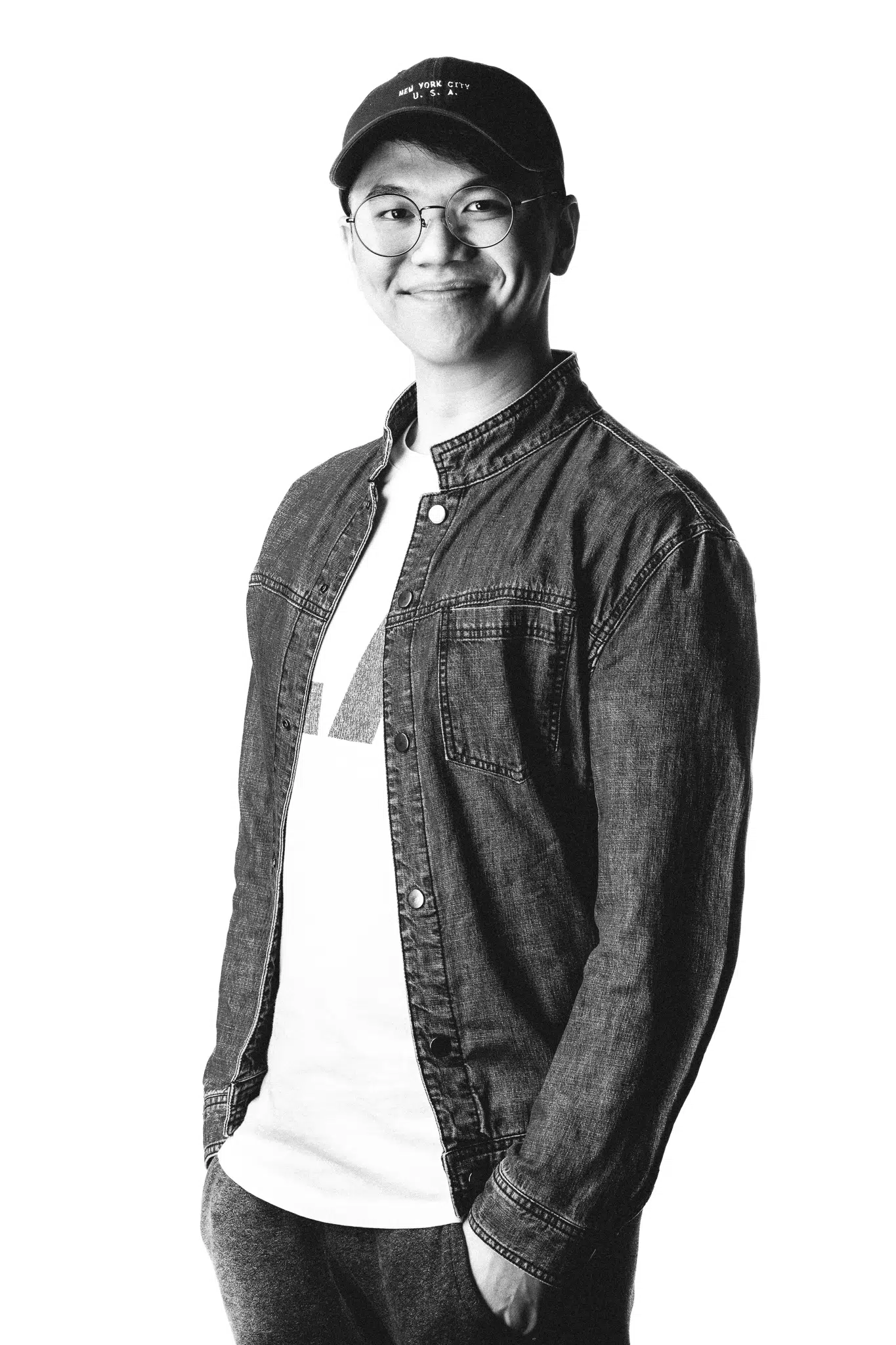
Benjamin Ang, the Creative Director of Genesis Motion Design, has more than 10 years of experience in motion graphics, design, and animation, Benjamin embarked on his own journey in 2015 with the birth of Genesis Motion Design, a studio focused on brand-driven storytelling.